
UI/UX design consulting
We analyze your product goals, user needs, and market trends to create a design strategy aligned with your business vision.
Custom interface design
Our designers craft intuitive and visually appealing interfaces for web, mobile, and enterprise applications.
Cloud Java application development
We design and develop cloud-native Java applications optimized for AWS, Azure, and other cloud platforms, ensuring scalability and reliability.
Java mobile app development
We create Java-based mobile applications for Android, providing seamless user experiences, strong performance, and robust backend integration.
Interactive prototypes
We create clickable Figma prototypes that demonstrate functionality, simulate interactions, and validate user flows before development.
Design system creation
We build scalable, reusable Figma design systems that ensure consistency and speed up product development.
Wireframing & mockups
We develop low- and high-fidelity wireframes and mockups to structure the user experience efficiently.
User testing & feedback integration
We conduct usability testing on Figma prototypes and integrate feedback to optimize UX and maximize adoption.
Figma to development handoff
Our Figma designs are prepared for smooth handoff to developers, including detailed specs, assets, and guidelines, making it an expert Figma solution.
Team augmentation
Hire experienced Figma designers to collaborate directly with your product and development teams.
Our case studies
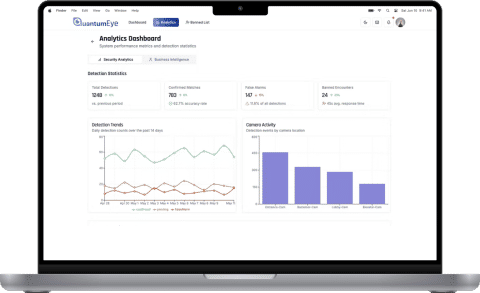

Scaling Edge AI & computer vision: QuantumEye real-time surveillance platform
Geniusee helped the QuantumEye AI platform that upgrades legacy CCTV with real-time detection, instant incident notifications, and decision-ready analytics.
Case details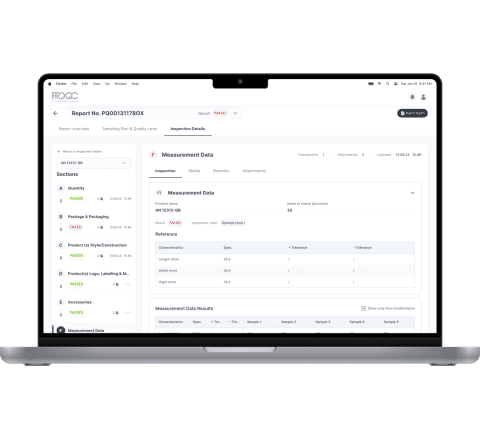
 Logistics
Pro QC: Streamlining inspections and audits with modern technology
As a long-standing provider of inspection and supplier management services, Pro QC supports clients in over 88 countries with product, factory, and process evaluations. Their global reach created operational complexity that legacy, document-based workflows could no longer handle efficiently. To improve accuracy and streamline work across regions, Pro QC engaged Geniusee to design a digital system that replaces manual processes with structured, scalable workflows.
Case details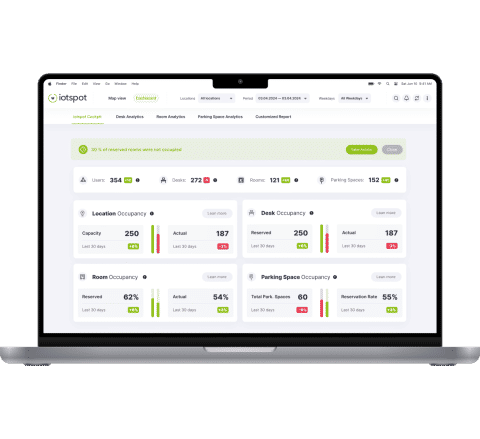
 Real estate
How Geniusee helped iotspot optimize hybrid workplaces with AI and IoT analytics
iotspot is a Dutch technology company focused on enabling hybrid workplaces through IoT-powered data intelligence. Iotspot helps enterprises track workspace usage, air quality, and employee movement to design more efficient, sustainable offices. The client addressed Geniusee to modernize their platform by combining real-time IoT data, AI analytics, and an intuitive user experience. The result: a scalable, secure, and analytics-driven ecosystem that helps enterprises make informed workspace decisions.
Case details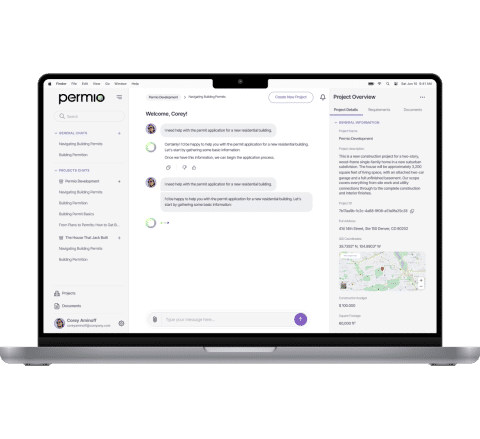
Permio: AI-powered permit workflows for Service First Permits
Permio is an AI-powered permitting platform built for Service First Permits to automate workflows and accelerate approvals across 240+ jurisdictions. Geniusee worked closely with SFP to design, engineer, and validate a system that modernizes the entire permitting lifecycle.
Case details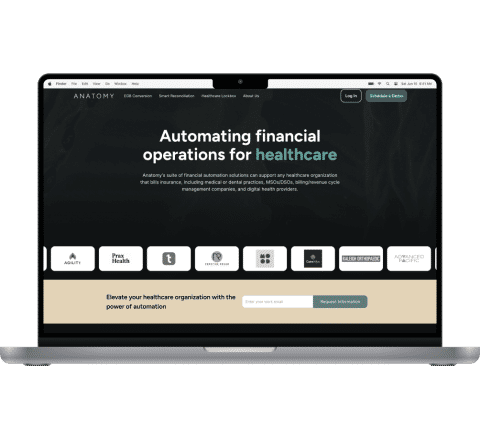
Anatomy Financial: Automated financial management software for healthcare
Anatomy introduces an innovative solution designed to automate document processing, compare various documents and banking transactions, and handle the intricacies of physical check processing. By conducting a thorough analysis, the system identifies discrepancies between the declared prices of medical procedures and the actual amounts received by the clinic.
Case details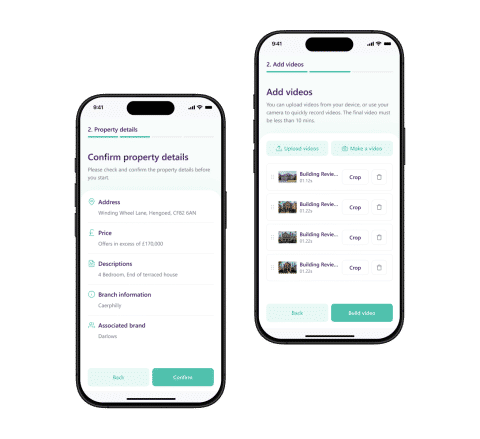
 Real estate
Spicerhaart: How Genuisee helped accelerate branded property tour videos
Spicerhaart Group Ltd is one of the UK's largest independent estate agency networks, operating 7 well‑known brands across residential sales, lettings, and financial services. Geniusee delivered a mobile video solution that simplifies property marketing: agents can capture, enhance, and publish fully branded property tours in minutes, with seamless CRM integration and automated brand consistency.
Case details1 step – Analysis & user research
We analyze your users, business goals, and competitor landscape to define the design direction.
2 step – Wireframing & ideation
We create low-fidelity wireframes and interactive sketches to explore user flows and functionality.
3 step – UI/UX design
Our team develops polished interfaces and clickable prototypes that reflect your brand identity.
4 step – User testing & iteration
We validate prototypes through usability testing and refine designs based on real feedback.
5 step – Developer handoff & support
We prepare Figma files for smooth developer handoff, ensuring precise implementation and ongoing support.


















Certified AWS Partner delivering secure, scalable cloud-native solutions.

ISO-compliant processes ensuring quality, security, and reliability.

Trusted integration partner for financial data connectivity and open banking.

Team of ISTQB-certified QA engineers for world-class software testing.

Consistently rated ★5.0 by clients for reliability and delivery excellence.

Accredited partnership supporting advanced testing and continuous QA automation.

What is Figma used for?
Figma is a collaborative design tool used for creating UI/UX designs, wireframes, mockups, and interactive prototypes. It allows teams to work together in real time and hand off designs to developers efficiently.
Why should I choose Figma for my product?
Figma is platform-independent, enables real-time collaboration, and supports scalable design systems for responsive design, making it ideal for modern web, mobile, and enterprise projects.
Can Figma improve team productivity?
Yes. Figma reduces feedback cycles, streamlines collaboration, and minimizes design-developer misalignment, accelerating product delivery.
Does Geniusee provide Figma team augmentation?
Absolutely. You can hire experienced Figma designers to integrate seamlessly with your product and development teams.
How long does Figma design take?
The timeline depends on project complexity. Small prototypes may take 2–4 weeks, while full design systems or enterprise applications can require 1–3 months.
How much do Figma design services cost?
Costs vary depending on the scope:
- Simple UI/UX prototypes: €5,000 – €15,000
- Medium projects with full UI/UX design: €15,000 – €40,000
- Enterprise-scale systems: €40,000+
You can estimate your project cost using Figma with our calculator.